[Tutorial] Stable Diffusion For Absolute Beginner - Part 3/7
How to Create Great Prompts?
Creating an awesome prompt takes a little learning, but it's all about describing your idea really well. Start by diving into the details of your subject. Make sure to add strong keywords that match the style you're aiming for.
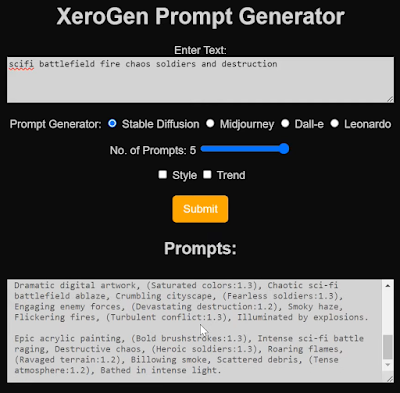
If you're looking for a shortcut to generate top-notch images, try reusing existing prompts. Dive into the prompt collection, find an image you fancy, and take inspiration from its prompt! The only catch is, you might miss out on understanding why it creates great images. Peek at the notes and tweak the prompt to see how it changes the results.
Another option is to explore image collections like PlaygroundAI. Scan through the images until you find one that clicks with you, then play around with the prompt. But fair warning, finding that perfect prompt can be a bit like searching for a needle in a haystack.
Remember, think of the prompt as your starting point. Adjust and personalize it to fit your vision.
Tips for Crafting Stellar Prompts
There are two golden rules: (1) Be super detailed and specific, and (2) wield powerful keywords.
Being Detailed and Specific
Even though AI is making incredible strides, it's not quite a mind reader yet. That's why you've got to paint a vivid picture with words.
Let's say you want an image of a woman on a street. A simple prompt like "a woman on the street" might give you a result like this:

"a young lady with brown eyes, highlights in her hair, a warm smile, dressed in stylish business casual attire, sitting on a quiet city street with soft rim lighting."

Now that's a huge difference! Detailed prompts make all the difference.
Using Powerful Keywords
Not all keywords are created equal. Some have more sway over the image generation process:
- Celebrity names (e.g., Emma Watson)
- Artist names (e.g., van Gogh)
- Art medium (e.g., illustration, painting, photograph)
Mastering the art of using these keywords can guide the image creation in the direction you want.
And hey, need a little boost? Just like getting homework help, you can use ChatGPT to whip up some prompts!
Understanding Negative Prompts
Negative prompts allow you to specify what you don't want to see in the generated image. While not all Stable Diffusion services support this feature, it's valuable for v1 models and essential for v2 models. For beginners, using a universal negative prompt can be helpful without causing any harm.


Comments
Post a Comment
Leave your comment here...